

Quickstart
Configuring Merchant Resource Center
To embed Moneris Checkout on your website, create a Checkout Profile in the Merchant Resource Center (MRC). This generates the Checkout ID required in the Preload Request when calling the Moneris Checkout backend.
1. Login to Merchant Resource Center
Log in to the Merchant Resource Center using one of the following URLs:
| Environment | URL |
|---|---|
| Testing | https://esqa.moneris.com/mpg |
| Production | https://www3.moneris.com/mpg |
If you are using the testing environment, you can use one of the following test credentials:
Test IDs for Merchant Resource Center
| Username | Store ID | Password |
|---|---|---|
| DemoUser | store1 | password |
| DemoUser | store2 | password |
| DemoUser | store3 | password |
| DemoUser | store5 | password |
| DemoUser | moneris | password |
Test IDs for Merchant Resource Center - Convenience Fee Testing
| Username | Store ID | Password |
|---|---|---|
| DemoUser | monca00392 | password |
2. Access Checkout Config
In the admin menu, select Moneris Checkout Config.
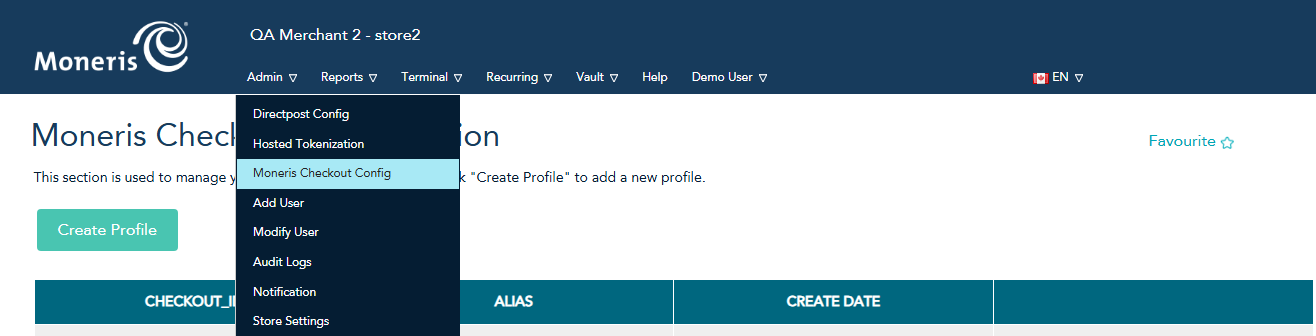
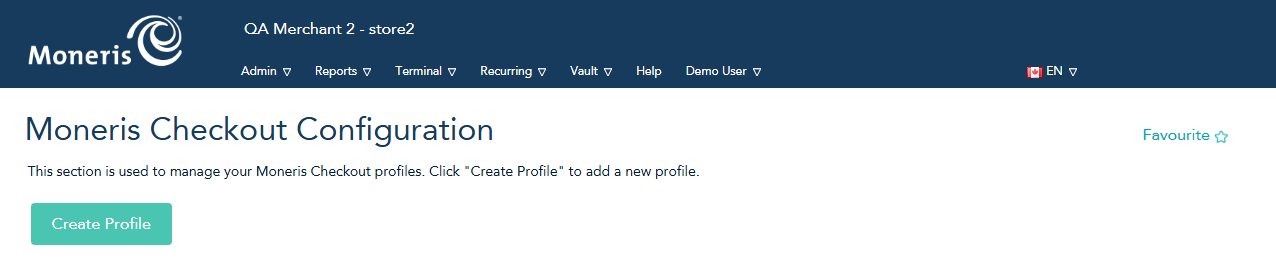
3. Create a profile
Click the Create Profile button.
4. Configure and Save
Note the Checkout ID at the top of the page. You can save the default configuration and proceed, or customize the configuration based on your requirements.
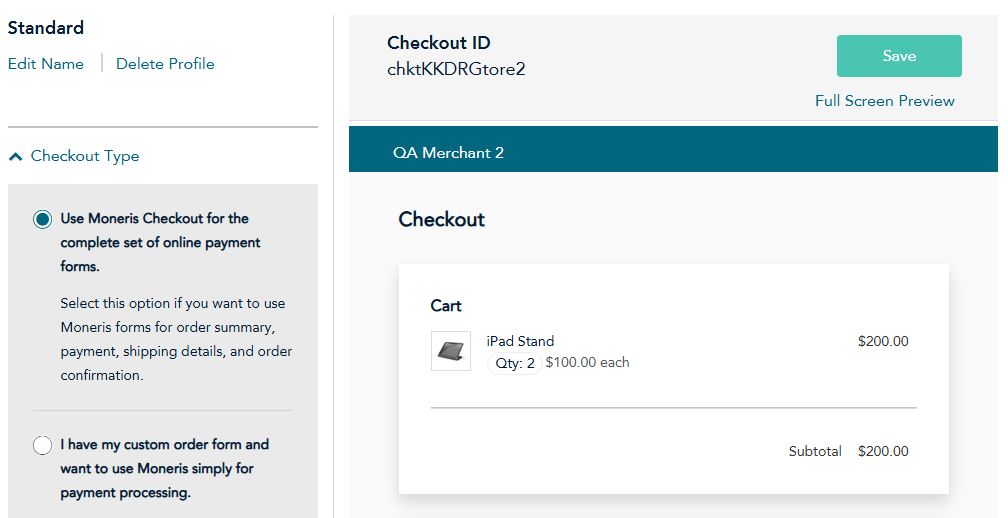
To customize your Merchant Resource Center configuration, refer to the Merchant Resource Center reference guide for more information.
Set Up Moneris Checkout in Your Code
Updated 2 months ago