

Quickstart
Configuring Merchant Resource Center
Begin by logging into the Hosted Tokenization Configuration Tool, creating your profile and configuring it to integrate with your Hosted Tokenization solution.
Follow these steps to create your Hosted Tokenization profile.
1. Log into the Merchant Resource Center
To use the Hosted Tokenization Configuration Tool, sign in to the Merchant Resource Center. Select the environment that matches your current stage of development:
| Environment | URL |
|---|---|
| Testing | https://esqa.moneris.com/mpg |
| Production | https://www3.moneris.com/mpg |
If you are using the testing environment, you can use one of the following test credentials:
Test IDs for Merchant Resource Center
| Username | Store ID | Password |
|---|---|---|
| DemoUser | store1 | password |
| DemoUser | store2 | password |
| DemoUser | store3 | password |
| DemoUser | store5 | password |
| DemoUser | moneris | password |
Test IDs for Merchant Resource Center - Convenience Fee Testing
| Username | Store ID | Password |
|---|---|---|
| DemoUser | monca00392 | password |
2. Navigate to Hosted Tokenization
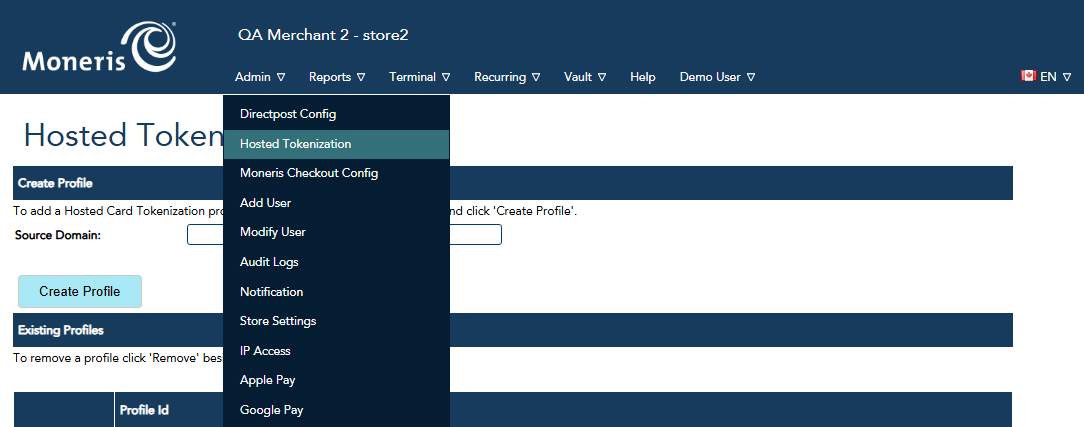
Open the Admin tab, then select Hosted Tokenization.
3. Create Profile
Click Create Profile.
Optionally, enter a source domain. This is the domain of the outer page that sends the transaction to Moneris Gateway (for example, example.com from the Overview page's process flow diagram).
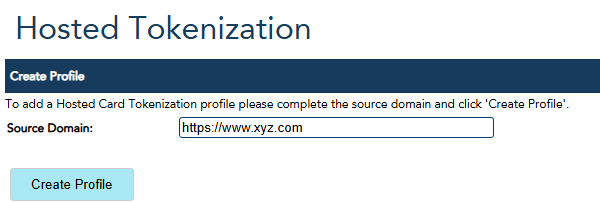
You can leave this field blank for mobile solutions or when the profile is used by multiple domains.
Record the generated Profile ID. You will include this value in your HTML iframe in a later step.
Getting a Temporary Token
To obtain a temporary token, send a request to Moneris from within an iframe. In the following example recipe, replace ${profileID} with the Profile ID you received when creating you Hosted Tokenization profile. In order to use the token, we'll need to listen for the response from the iframe and forward the resulting token to a payment processing page.
Processing a Payment using the Token
To charge the card using the temporary token you will need to pass the token to a page the implements the Moneris Vault API. Please refer to the Vault API documentation for instructions on how to setup and use the Vault solution. The following are some example uses for the temporary token:
Updated 2 months ago